Introduction ✨
Hello again, community! In this stage of my project, my goal was to access the translation tools used by the WordPress community and get familiar with the platform. I wanted to understand how everything works before starting my actual contributions.
Development ✨
To begin, I accessed the main translation platform: translate.wordpress.org. This is where contributors work on translating WordPress themes, plugins, and core strings.
As I started navigating through the platform and exploring different themes, I came across the Spanish (Costa Rica) locale. Since my goal is to contribute specifically to that language variant, this helped me confirm that I was on the right track.

After that, I continued exploring the interface to understand how projects are organized. I searched for the Weaver Xtreme theme, which is the one I selected for my project.
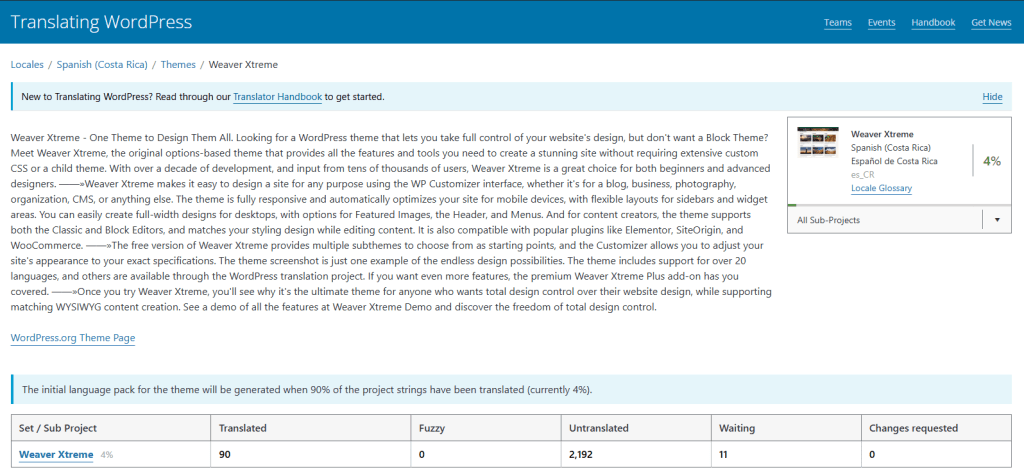
At the beginning, it was a bit confusing to understand where to click and how translations are structured (original text, translation suggestions, status, etc.). However, after exploring different sections and interacting with the platform, I gradually became more comfortable.
One challenge I faced was confirming whether Spanish (Costa Rica) was available for the theme I chose. I learned that not all projects include every locale, so it’s important to verify this before starting.
Steps I followed
1
Logged into my WordPress.org account
2
Opened translate.wordpress.org
3
Navigated through themes and discovered Spanish (CR)
4
Searched for the Weaver Xtreme theme
5
Explored the available translation sets
6
Reviewed how strings are displayed and translated